Master Your Next Presentation with the Fiker Keynote Template: A Complete Guide to Impactful Slide Design
Presentations have become an essential part of modern communication. Whether you are pitching a business idea, teaching a class, presenting quarterly results, or sharing a creative portfolio, the way you present your content matters just as much as the content itself. A well-designed slide deck can capture attention, clarify complex ideas, and leave a lasting impression. But creating such a deck from scratch takes time, skill, and effort. That is where a premium presentation template like the Fiker Keynote Template comes in. This guide explores everything you need to know about using the Fiker template to elevate your presentations, from its core features to practical tips for customization.
What Is the Fiker Keynote Template?
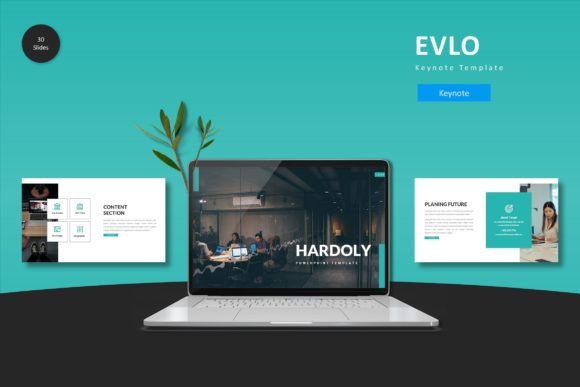
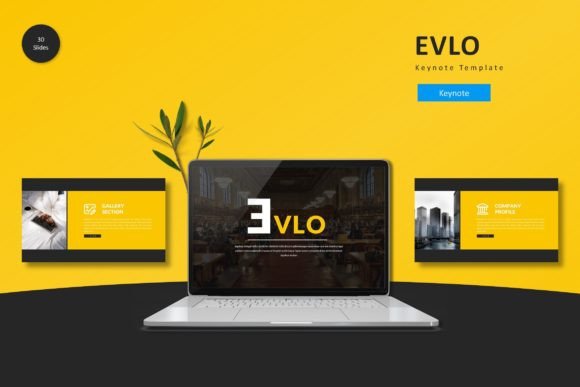
The Fiker Keynote Template is a professionally designed presentation toolkit built exclusively for Apple Keynote. It includes 150 total slides spread across 5 pre-made color variations, with 30 slides per color scheme. Each variation includes section break slides, handcrafted infographics, gallery layouts, and portfolio slides. The template is built on master slides, meaning you can change the global look of your entire deck with just a few clicks. All graphics are pixel-perfect, resizable, and fully editable, giving you complete control over the final result.
At its core, the Fiker template is about cohesive visual storytelling. It is designed to help you create a polished, professional presentation without needing a background in graphic design. Whether you are a startup founder, a marketing professional, a teacher, or a freelancer, this template gives you a head start on creating slides that look custom-made.
Why Presentation Design Matters More Than You Think
Before diving into the specifics of the Fiker template, it helps to understand why presentation design is so important. A common misconception is that good design is just about making things look pretty. In reality, design directly affects how your audience processes information.
Research in cognitive psychology shows that people are more likely to remember information when it is presented with clear visual hierarchy, consistent layouts, and relevant imagery. A well-structured slide helps viewers focus on your key message, while a cluttered or inconsistent deck creates confusion and distracts from your narrative. In business settings, a strong presentation can mean the difference between closing a deal and losing a client. In education, it can determine whether students stay engaged or zone out. The Fiker Keynote Template addresses these needs by providing a consistent, professional structure that supports your message rather than competing with it.
The Cost of Starting From Scratch
Building a slide deck from zero involves choosing fonts, selecting color palettes, aligning shapes, placing image placeholders, and designing infographics. Even for someone experienced with Keynote, this process can take hours or even days. Templates like Fiker eliminate that overhead by giving you pre-built layouts that are ready to populate with your own text and images. You still have full creative freedom, but you skip the repetitive groundwork.
Exploring the Key Features of the Fiker Keynote Template
Let us walk through the main components that make the Fiker template a valuable tool for presenters.
150 Total Slides Across 5 Color Variations
The template includes 30 unique slide layouts multiplied by 5 distinct color schemes, giving you 150 slides in total. Each color variation includes matching section breaks, infographics, and portfolio slides. This variety means you are not locked into a single look. You can choose the color scheme that best fits your brand or the tone of your presentation. Whether you prefer a bold, energetic palette or a calm, professional one, there is an option ready to use.
Handcrafted Infographics Based on Master Slides
Data visualization is one of the most powerful tools in any presentation. The Fiker template includes handcrafted infographics that are built on master slides. This means you can edit charts, diagrams, and data displays without breaking the overall design. You can update numbers, swap icons, and change colors while keeping the infographic consistent with the rest of your deck. For anyone who needs to present statistics, timelines, or processes, this feature saves significant time and ensures a professional look.
Section Break Slides for Clear Pacing
Long presentations can overwhelm audiences if there is no clear structure. Section break slides act as visual dividers that signal a shift in topic. The Fiker template includes dedicated section break layouts within each color variation. These slides are designed to reset attention and provide a moment of transition, making your overall narrative easier to follow. Using them consistently throughout your deck improves flow and helps your audience stay oriented.
Pixel-Perfect, Resizable, and Editable Graphics
One of the most frustrating experiences in presentation design is finding that an image or icon becomes blurry when you resize it. The Fiker template uses pixel-perfect illustrations that remain crisp at any size. All graphics are vector-based or high-resolution, so you can scale them freely. Additionally, every element is editable. You can move, group, ungroup, recolor, or delete any graphic to fit your specific needs. This level of flexibility is essential for tailoring the template to your brand guidelines or personal style.
Drag-and-Drop Picture Placeholders
Adding images to your slides should be simple. The Fiker template includes picture placeholders that work with a drag-and-drop workflow. You drag an image onto the placeholder, and it automatically snaps into the correct position and size. This eliminates the need to manually crop or align photos, saving time and ensuring consistency across slides. This feature is especially useful for portfolio presentations, gallery slides, or any deck that relies heavily on visuals.
Gallery and Portfolio Slides
For creative professionals, showcasing work is a central goal of any presentation. The Fiker template includes dedicated gallery and portfolio slide layouts. These are designed to display multiple images in a clean, balanced grid. The layouts highlight your work without clutter, making it easy for viewers to focus on each piece. Whether you are a photographer, designer, architect, or artist, these slides give your portfolio a polished, professional presentation.
How to Customize the Fiker Template for Your Needs
Understanding the features is one thing, but using them effectively is another. Here is a practical step-by-step approach to customizing the Fiker template for your next presentation.
Choose Your Color Scheme First
Start by selecting one of the 5 color variations that aligns with your brand or the mood of your talk. If you are presenting for a corporate audience, a neutral or cool palette may work best. If you are launching a creative product, a bolder scheme can convey energy. You can always switch to another variation later without losing your content because the master slides handle the global styling.
Set Your Fonts and Typography
The template comes with recommended font pairings, but you can change them to match your brand guidelines. Since the template is built on master slides, updating the font once will apply the change across all slides. This ensures typographic consistency. Avoid using more than two fonts in a single presentation to maintain a clean, professional look.
Replace Placeholder Text and Images
Work through the deck slide by slide, replacing placeholder text with your own content. Use the picture placeholders to drag in your images. Take advantage of the editable infographics to input your data. As you customize, pay attention to the visual hierarchy: headlines should be prominent, supporting text should be readable, and images should reinforce your message.
Use Section Breaks to Structure Your Narrative
Identify the main sections of your presentation and insert the corresponding section break slides. This not only improves pacing but also gives your audience mental cues about the flow of information. A typical structure might include: Introduction, Problem, Solution, Case Studies, and Conclusion. Each of these sections can be introduced with a break slide from the Fiker template.
Keep Consistency Across Slides
One of the biggest advantages of using a master-slide-based template is that consistency is built in. However, you should still review your final deck to ensure that image sizes, text alignment, and spacing are uniform. Minor adjustments here and there will elevate the overall professionalism of your presentation.
Common Misunderstandings About Presentation Templates
There are a few myths about using templates that are worth addressing. First, some people believe that using a template means sacrificing originality. In reality, a template is a starting point, not a finished product. The Fiker template provides structure, but your content, voice, and unique perspective are what make the presentation original.
Second, there is a misconception that templates are only for non-designers. The truth is that even experienced designers use templates to save time. The best templates are flexible enough to allow professional-level customization while eliminating repetitive tasks.
Third, some users worry that template-based presentations look generic. This can happen if you use a template without any customization. However, when you tailor colors, fonts, images, and content to your specific message, the result feels personal and polished. The Fiker template's editable graphics and multiple color variations make it easy to avoid a one-size-fits-all look.
Practical Relevance Across Different Fields
The Fiker Keynote Template is versatile enough to serve a wide range of use cases. Here are a few examples:
- Business pitches: Use the clean, professional layouts to present your business plan, market analysis, and financial projections. The infographics help simplify complex data for investors.
- Educational lectures: Teachers and professors can use the structured layouts to present lessons, timelines, and study materials. The section breaks help organize topics clearly.
- Creative portfolios: Photographers, designers, and artists can leverage the gallery slides to showcase their work in a visually compelling way.
- Internal company updates: HR teams, project managers, and department heads can use the template to share quarterly updates, team achievements, and strategic plans.
- Conference talks: Speakers at events can rely on the consistent branding and professional design to keep the audience engaged from start to finish.
How the Fiker Template Fits Into Modern Workflows
In today's fast-paced environment, efficiency is key. Professionals are expected to produce high-quality presentations quickly. The Fiker template supports this need by reducing the time spent on design while increasing the quality of the output. Because it is built for Keynote, it integrates seamlessly with Apple's ecosystem. You can work on your presentation across Mac, iPad, and iPhone, making it easy to edit on the go.
Moreover, the template's master-slide architecture means that any global changes you make—such as updating a color scheme or font—apply instantly to all slides. This is especially useful when working with teams, as it ensures brand consistency without manual effort.
Final Thoughts: Why the Fiker Keynote Template Is a Smart Investment
Creating a compelling presentation is about more than just slides. It is about communicating ideas with clarity, confidence, and impact. The Fiker Keynote Template gives you a professional foundation so you can focus on what matters most: your message. With 150 slides, 5 color variations, handcrafted infographics, and full editability, it is a comprehensive toolkit for anyone who wants to present with authority.
Whether you are preparing for a high-stakes boardroom pitch or a creative showcase, the Fiker template helps you save time, maintain consistency, and impress your audience. By understanding its features and applying the customization strategies outlined in this guide, you will be well on your way to delivering presentations that leave a lasting mark.